Key takeaway
A page has to be found, visited and kept by Google before it shows up. Rule out the switch that hides new sites from search engines, then paste each page into Google Search Console to see which step it's stuck on. Link to it from a page Google already shows, ask Google once, and make the page worth keeping. On our own site, the number of pages showing up on Google went from 21 in April 2026 to 56 by September.
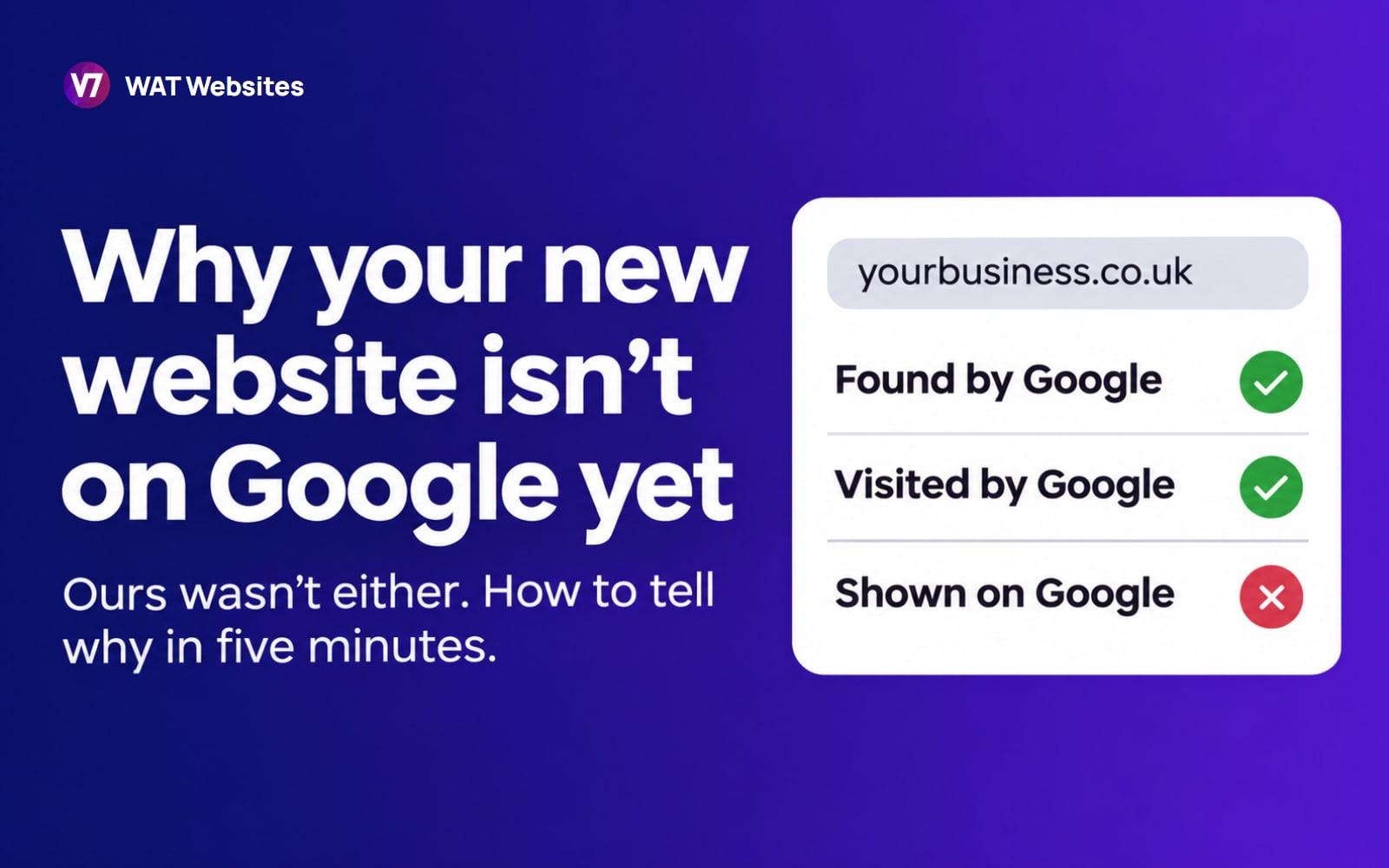
If your new website isn't showing up on Google, one of three things has happened. Google hasn't found the page. Google has found it but hasn't visited it yet. Or Google visited, read it, and decided to leave it out. Each one has a different fix, and you can find out which you've got in about five minutes, for free.
One thing to rule out first. If your business comes up when you search its name, but not when you search for what you do in your town, Google already has your site. That's a ranking problem, not this one, and it's covered near the end of this post.
We've been through it ourselves. When we launched this version of our website in spring 2026, Google was showing only a fraction of it. By September, more than two and a half times as many of our pages were showing up on Google as in April, and we've seen the same climb on the sites we build for clients. Below is how to check yours, what each answer means, and what worked, with the dates.
The 30-second check: is your site on Google at all?
Go to Google and type site: followed by your web address, with no space. For example, site:yourbusiness.co.uk. Google lists the pages it holds for that site.
If some pages do show, Google has found you. Treat the list as a quick look, not a count: Google says the results of a site: search aren't always complete, so a page missing from it might still be there. For a proper answer, page by page, you need Search Console, which we'll get to in a minute.
If your site went live in the last week or two and nothing shows yet, that's normal. Google's own help puts it at anywhere from a day or two to a few weeks, typically. If it's been longer than that, keep reading.
First, check you haven't told Google to stay away
Rule this out before anything else, because it's common on new sites and takes two minutes to fix. Most website builders can hide a site from search engines while it's being built. It's easy to forget to switch it back.
The setting that hides a new site from Google, on the most common website builders. Checked on each builder's own help pages, 10 November 2026
If one of these was the problem, switch it, then ask Google to visit (the next section shows how). You don't need to do anything else.
Ask Google directly, page by page
Google Search Console is Google's free tool for website owners. It tells you, in Google's own words, what it knows about each page on your site.
Setting it up takes three steps:
- Go to Search Console and sign in with a Google account. Use the one your business already runs on.
- Add your website. Choose "Domain" and type your web address without the https.
- Prove you own it. Google gives you a short line of text to add to your domain's settings. Whoever looks after your domain or built your site can do this in a few minutes.
Then paste the address of any page into the search box at the very top. That's called URL Inspection. It tells you which of three steps the page is stuck on.

Here's what each answer means and what to do about it:
What each URL Inspection answer means, and what to do about it
Google says the "crawled" one is common and isn't always a problem. If the page is one you need, it's worth fixing anyway.
What it looks like when it works
Here's the number that answers this post's question, for three new websites we built: how many of their pages showed up in Google's results each month.

All three climbed month after month, and none of them did it on day one. Gold Swan Bathrooms went from 7 pages in July to 68 by October. First Plumb Solutions went from 16 to 30 between June and October. Our own site went from 21 to 56 between April and September.
What moved ours in August
By mid-August, Search Console's indexing count for our site was 37 of the 63 pages in our sitemap, and a lot of the rest had never been visited. (That's pages Google has stored, a slightly different measure from the chart above, which counts pages that actually appeared in results.) Twelve of our case studies had no date on them at all. So we gave every page in the sitemap an accurate "last changed" date, and only ever change one when the page itself changes.
Here's what we saw next. In the following 13 days Google visited 23 of our pages. In the whole first half of August it had visited 5. By 27 August, 51 of the 67 pages in our sitemap were indexed.
Accurate dates don't guarantee a visit. Google only says it uses them when they're reliable. But on our site, the timing was hard to miss.
When a page drops out, it can come back
Pages don't only go one way. Google re-judges them all the time, and now and then it quietly drops one it used to show. That happened to our case study about Coppermill Landscapes in October.

Search Console said "Crawled, currently not indexed". Google had visited the page but wasn't showing it in its results. It was one of our older case studies, about 860 words, and its figures were months old.
So on 29 October we rewrote it. We brought it up to date with where the business stands now, including its Google rankings and its enquiry figures, and it grew to about 1,400 words. The extra length wasn't the point. What changed is that the page now had current, specific figures no other page had. The same day, we merged seven pairs of pages across our site that answered the same question, each into the stronger page, with a redirect from the old address.
Five days later, on 3 November, Google visited the Coppermill page again and put it straight back on Google.
So a dropped page isn't finished. Make it the best answer on your site to its question, fold in any page that repeats it, and give Google a reason to look again. Google's own guidance says clearing out unhelpful content can help the good content on a site do better.
Why Google skips pages on a new site
Google doesn't visit every page it knows about. It decides what's worth its time, and on a new site it hasn't got much to go on.
Its own crawling guide says pages that are "more popular on the Internet tend to be crawled more often". A page becomes popular, in Google's eyes, when other websites link to it.
That's the usual story for a small business. The homepage gets the links, from directories, suppliers and your Google Business Profile. The pages underneath get none, so Google gets round to them slowly.
What gets a page onto Google, in order
In this order
Getting a page onto Google
- Rule out the hide switchCheck the builder settings near the top of this post. If the site is telling Google to stay away, nothing else on this list works.
- Make sure Google can find the pageIt's in your sitemap, and a page Google already shows links to it, ideally in the writing itself as well as the menu.
- Ask onceIn Search Console, inspect the page and press Request indexing. Once. Google says asking again won't get it crawled any faster.
- Make it worth keepingOne page per job or question, with your own photos, the areas you really cover and straight answers. If two pages say the same thing, merge them into one.
- Get one real link to that exact pageA supplier, a trade association or a local business group linking to the page itself tells Google it matters.
- Check again in a monthOn a new site the pages under the homepage can take weeks or months. Look once a month, not every morning.
It's the same order we work through on every site we build.
What wastes your time
Wastes your time
- Pressing Request indexing every day
- Changing the date on a page without changing the page
- A separate page for every town you cover
- Paying a service that promises to force Google
Works
- Asking once, then improving the page
- Changing the date only when the page really changed
- A town page only where you've done real work there
- One genuine link from a business that knows you
The dates matter more than they look. Google says it only uses the "last changed" dates in your sitemap if they're consistently accurate. Change them without changing the page and you teach Google to ignore them, for every page on your site. We've only ever changed ours when the page changed, which is why they could do any good in August.
The town pages one matters for trades. Google's spam rules name pages "targeted at specific regions or cities that funnel users to one page". A stack of near-identical "plumber in [town]" pages is exactly that. A page for a town is fine when it shows real jobs you've done there.
And you can't pay your way in. Google says it doesn't accept payment to crawl a site more often or rank it higher. Anyone promising to "submit you to Google" for a fee is selling you something you can do yourself in Search Console, free.
How long it takes, from real sites
Google won't promise a time. Here's what we've seen:
- Two help articles on our site went up on 3 and 5 August 2026. Google visited both on 9 August, and both were on Google by the 14th.
- Gold Swan Bathrooms had 7 pages showing up on Google in July 2026, and 58 in August.
- Our Coppermill case study was back on Google five days after we rewrote it.
So it can be days for a single page and a few months for a whole new site. What speeds it up is Google having a reason to look: links from other websites, and a site that's worth its time.
If you're on Google but nobody finds you
Then this isn't your problem. Being on Google and ranking on Google are two different jobs. For a local business, ranking comes down mostly to your Google Business Profile, your reviews, and whether each page answers what people in your area search for.
We've written about how to tell if your SEO is working, how long SEO takes, and, if it's your business that's missing from Google Maps rather than your website, how to get into the map pack. If you'd rather someone sorted the pages for you, that's what our on-page SEO work covers.
How we know
Every figure here comes from Google Search Console. The monthly counts are from its Performance report: every page that appeared in Google's results at least once that month, for our own site and from each client's own Search Console account. That's pages appearing in search, which isn't quite the same as pages Google has indexed: a page can be indexed and not show up for anything yet. The page-by-page answers, including Coppermill's, are from the URL Inspection tool, which we've run on every page in our sitemap since June 2026. Google's statements are from its own help pages, checked on 10 November 2026: how Search works, asking Google to recrawl, the page indexing report, sitemaps, crawl budget and spam policies. The website builder settings are from WordPress, Wix and Squarespace's own help pages, checked the same day.
Frequently asked questions
How long does it take Google to index a new website?
Google's own help says anywhere from a day or two to a few weeks, typically. That's for a page Google has decided to visit. On a new site, some pages wait much longer. Two of our help articles were visited within six days of going up, and were on Google within eleven. Check monthly in Search Console rather than every day.
Does submitting a sitemap get my pages on Google?
It helps Google find them, and that's all. Google says a sitemap doesn't guarantee every page in it will be crawled and indexed. A sitemap tells Google a page exists. Links and a good page tell it the page is worth having.
Should I keep pressing Request indexing?
Press it once for each page that matters, then leave it. Google says asking again for the same page won't get it crawled any faster, and there's a daily limit. If a page still isn't on Google a few weeks later, the fix is the page or the links to it, not another request.
Will paying for Google Ads get my website on Google?
Not in the normal results. Google says it doesn't accept payment to crawl a site more often or rank it higher. Ads put you at the top of the page while you pay for them, which can be worth doing while a new site gets going, but they don't help Google index or rank the site itself.
My page was on Google and now it's gone. What happened?
Inspect the page in Search Console. If it says crawled, currently not indexed, Google has visited the page but hasn't added it to its results. Often the page isn't distinctive enough, or another page says the same thing. Google says this is common and not always a problem, but if the page matters, improve it or merge it into a stronger page that covers the same thing. One of our own case studies dropped out in October 2026 and was back on Google five days after we rewrote it. If it mentions noindex, something on the site is telling Google to stay away, and whoever built the site can remove it in minutes.
Is my website builder the reason I'm not on Google?
Rarely, once the hide switch is off. Google indexes sites built on WordPress, Wix, Squarespace and hand-coded sites like ours. What catches people out is the setting that hides a site while it's being built, or a Squarespace site still on its trial. Check those first.
Do I need to be technical to use Search Console?
No. The only fiddly part is proving you own the site, which whoever built it, or whoever looks after your domain, can do in a few minutes. After that, checking a page is pasting its address into the box at the top and reading the answer.