Key takeaway
The map pack is the three local businesses shown at the top of a local search, and where the calls come from. Getting in takes a verified, complete Google Business Profile, the right primary category and a steady flow of genuine reviews. Verification is the first hurdle, and for van-based service businesses often the hardest.
When someone in your town searches "landscaper near me" or "emergency plumber Derby", the first thing they see isn't a website. It's a little map with three businesses pinned to it. That box is the map pack, and for a local business it's the most valuable piece of real estate on the internet.
The three businesses in it get the calls. Everyone below fights over the scraps.
Getting into it comes down to your Google Business Profile: how complete it is, how it's set up, and, before any of that, whether Google actually believes you exist. That last part trips up more businesses than you'd think.
So here's how the map pack works, how to get verified, and how to optimise your profile so you're one of the three.
What the map pack actually is
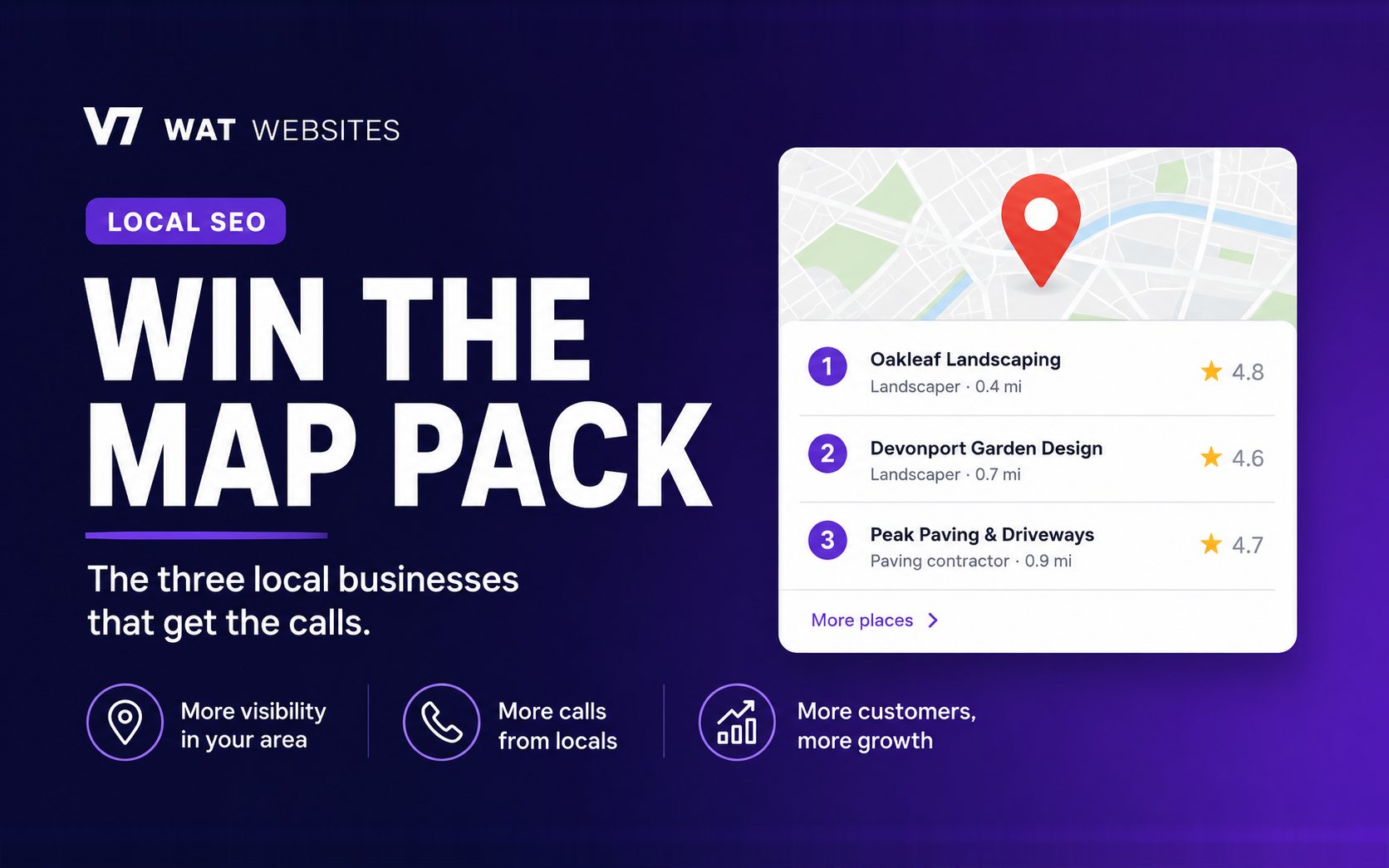
Search anything with local intent and, right at the top under the ads, sits the map pack (also called the local pack or the "3-pack"): three business listings, each showing a name, a star rating, a category, and buttons like Call, Directions and Website.
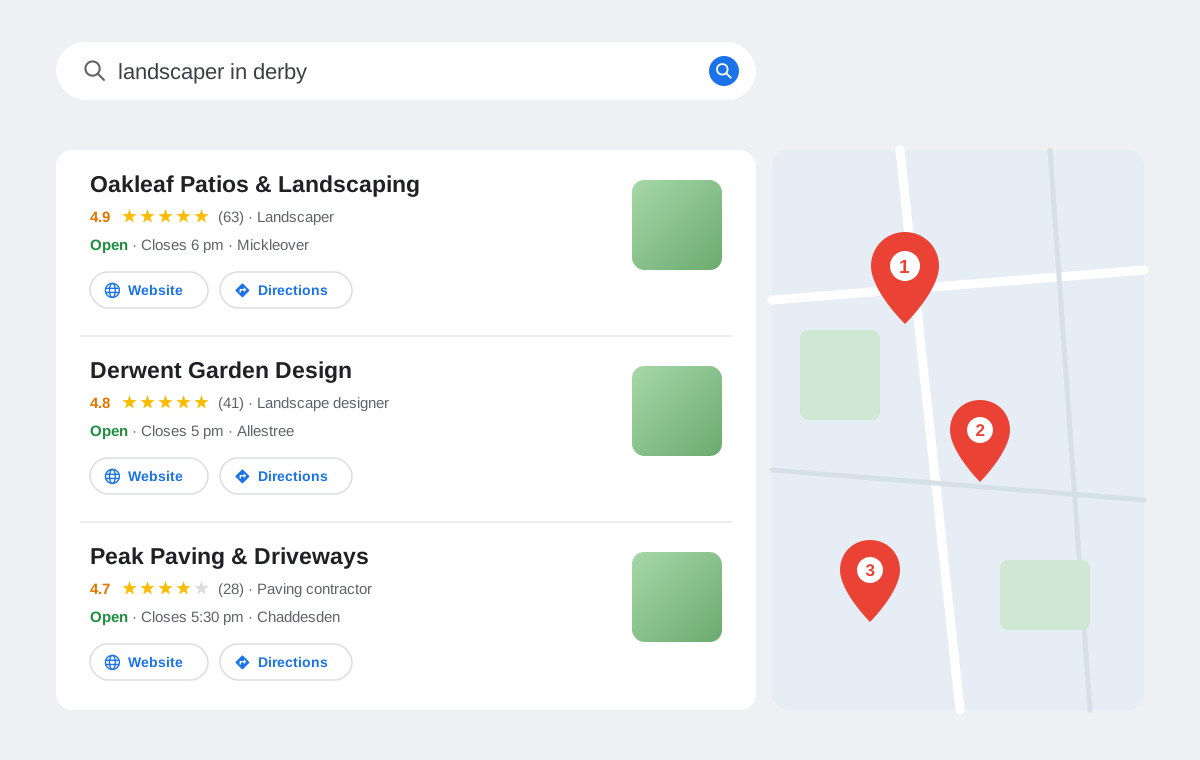
It sits above the normal blue links, it's tied to the searcher's location, and for "near me" and buying-intent searches most people never scroll past it. Your website still matters, but for local searches the map pack is the shop window, and your Google Business Profile is what puts you in it.
New to all this? Here's what a Google Business Profile is and how to create one.
Step 1: get verified (this is where most people get stuck)
Before you can rank anywhere, Google has to verify that your business is real and that you are who you say you are. Sometimes that's a quick postcard or a phone code. Increasingly, though, Google asks for a video, and this is where it gets painful, especially if you're a service business without a shopfront.
MIW Patios & Landscaping, a Derby landscaper we work with, is exactly the kind of business Google's video verification hates: no shop, no showroom, no trade counter. It's Jamie, a branded van and a set of tools, out on jobs all day. It took us five attempts to get him verified. Five.
Here's what we picked up so you don't burn a week on it.
Jamie talks about the whole saga in his review of us, including how his profile just would not go live until we got it sorted:
The video verification survival guide
The one idea that changes everything: film it like you're explaining your business to an alien that's just landed on your driveway. Assume Google knows nothing about you. Every claim on your profile, your name, your number, the work you actually do, don't imply it, prove it on camera.
For a van-based trade like MIW's, that comes down to a handful of things.
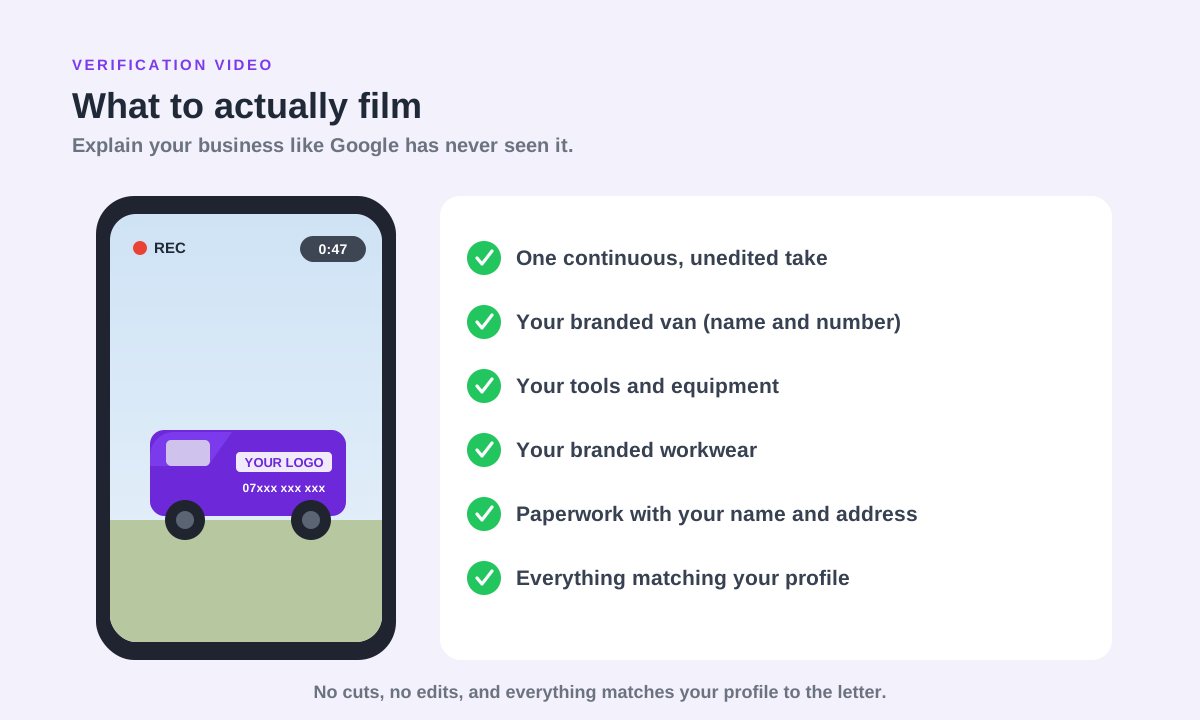
- Film it in one continuous take. No stopping, no editing, no stitching clips together. The second it looks edited, it's rejected.
- Your branded van, up close. Business name and phone number clearly readable. For a van-based business this is the strongest thing you can show, so give it plenty of screen time.
- Your tools and equipment. The actual kit you use on jobs, out of the van and on camera, not tucked away out of sight.
- Your branded workwear. The hoodie, polo or hi-vis with your logo on it. Wear it, and get it in shot.
- Paperwork with your name and address. An invoice, a letterhead or a utility bill, held up to the camera and readable. This is what ties you to a real place.
- Everything matching your profile, to the letter. The business name, number and website in the video should match what's on the profile exactly. Any mismatch is a red flag.
- Narrate every second of it. Good daylight, steady hands, and say what you're showing as you go: "this is my van, that's our number, these are the tools we use." Spell it out like they genuinely can't tell.
If it gets rejected, you usually get another go, and you can sometimes request a different method. Don't refilm the same weak video and hope. Change what you show, and show more of it. The take that finally got Jamie verified was one unbroken shot with the van, the tools and the paperwork, all narrated start to finish.
While we're here: how not to get suspended
Verification's evil twin is suspension, where Google pulls a profile it stops trusting. The quickest ways to get suspended:
- Stuffing keywords into your business name ("Dave's Plumbing Derby Emergency 24/7"). Use your real, registered name.
- Using a fake address, a PO box, or a virtual office you don't actually work from.
- Changing key details (name, address, category) all at once, especially on a young profile.
- Running a service-area business with an address customers can't visit, without hiding the address like Google asks.
Keep it honest and consistent and you'll mostly be fine. If you do get suspended you can appeal, but it's slow and stressful.
How Google decides who gets in the map pack
Once you're verified, three things decide your spot, and these are Google's own words:
- Relevance. How well your profile matches what someone searched. This is mostly your primary category and the services and content on your profile.
- Distance. How close you are to the searcher, or to the area they searched. You can't move your business, which is why you'll rank for some nearby towns and not others.
- Prominence. How well-known and trusted you are. Reviews, citations, links and your overall reputation all feed this.
You can't do much about distance. Relevance and prominence are where the work pays off.
The optimisation checklist
Here's what actually moves you up, roughly in order of impact.
1. Nail your primary category. This is the single biggest lever. Pick the most accurate primary category for what you do ("Landscaper", not "Gardener", if you build patios), then add relevant secondary categories. The wrong primary category quietly caps how often you show up.
2. Get reviews, and keep getting them. Reviews are a huge prominence signal, and recency counts, so a steady trickle beats a big burst two years ago. Ask every happy customer, reply to every review, and don't panic over the odd bad one. We've written up the exact system we use to get more Google reviews.
3. Complete every single field. Services with descriptions, a proper business description, opening hours, attributes, service areas. A profile that's fully filled in beats a half-finished one, and it gives Google more ways to match you to searches.
4. Keep your name, address and phone consistent everywhere. This is where your Business Profile and your local citations meet. If your details don't match across the web, it dents Google's confidence in you.
5. Add photos regularly. Real photos of your work, your team and your van. Fresh photos signal an active, real business, not a listing someone set up once and forgot.
6. Use Google Posts. Offers, updates, recent jobs. They keep the profile active and give you a bit more room in the results.
Do the first two well and you're most of the way there. The rest compounds over time. If you'd rather have it handled, this is exactly what our Google Business Profile and local SEO work covers.
Does it actually work?
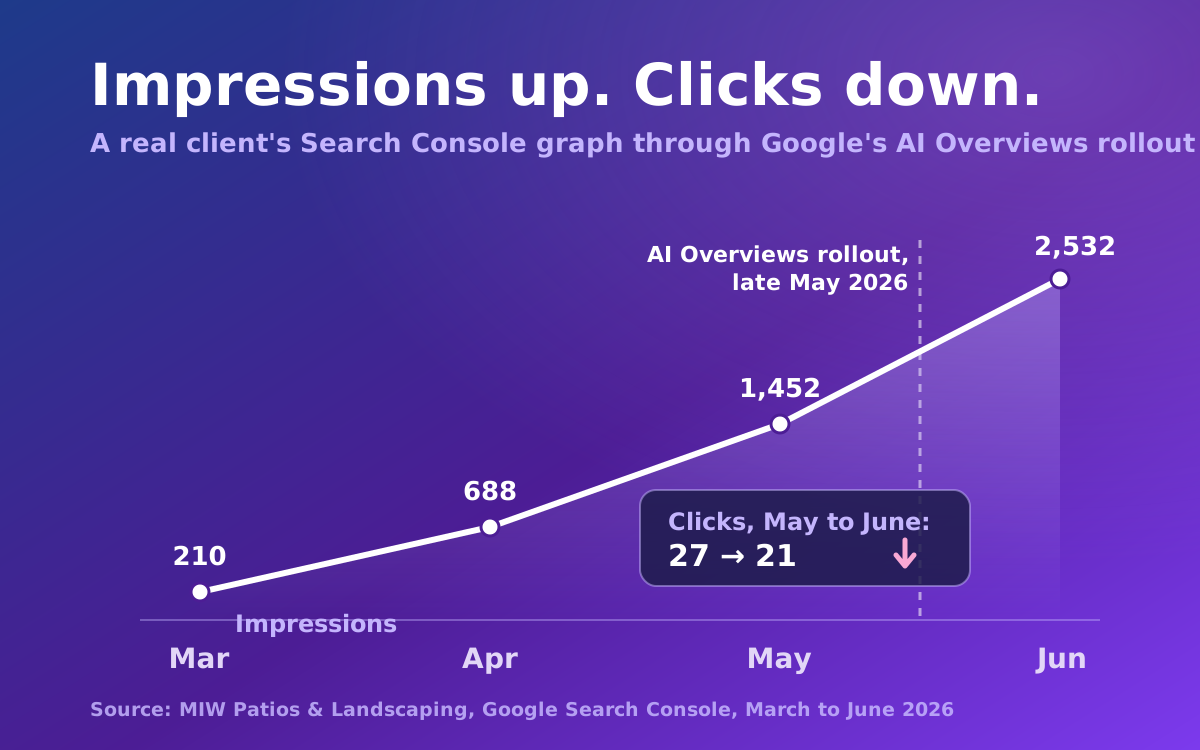
Yes, when it's done properly and given time. Once Jamie was finally verified and we'd optimised the profile alongside MIW's new website, the local visibility climbed month after month.
MIW's Google impressions grew from a couple of hundred to a couple of thousand inside a few months, and we broke that curve down here. The map pack was a big part of it.
Here's the profile itself, live today: 5.0 stars, and set up to serve Derby and the towns around it.

The honest summary
Get verified first (one take, van, tools, paperwork), then win on the things that count: the right primary category, a steady flow of real reviews, and a profile that's complete and consistent with the rest of the web. It isn't quick and it isn't magic, but it's the highest-leverage local SEO you can do.
Frequently asked questions
How do I get into the Google map pack?
Get a verified, complete Google Business Profile, choose the most accurate primary category for what you do, and build a steady flow of genuine Google reviews. Google then ranks you in the map pack based on relevance, distance and prominence. There is no shortcut or payment that puts you in it; it is earned through an optimised profile and a real reputation.
Why isn't my business showing on Google Maps?
The most common reasons are that your profile is not verified, it is incomplete or has the wrong primary category, or you are simply too far from where the person is searching. A brand new profile can also take a little time to appear. Check first that you are verified and that your name, address and category are correct, then look at reviews and completeness.
How long does it take to rank in the map pack?
Once you are verified, a well-optimised profile can start showing for less competitive local searches within a few weeks, but competitive terms and larger areas can take a few months of steady reviews and activity. Distance plays a big part too, so you will often rank in your immediate area long before you rank across a wider region.
How do I pass Google Business Profile video verification?
Film one continuous, unedited video that proves a real business operates where it claims to. Show your location or premises with signage, your branded van, your tools and workwear, paperwork with your business name and address, and yourself accessing your storage or unit. Make sure everything matches your profile exactly. If it is rejected, change what you show rather than refilming the same thing.
Why did my Google Business Profile get suspended?
Usually because something looked untrustworthy: keywords stuffed into the business name, a fake or virtual address, big changes to key details all at once, or a service-area business showing an address customers cannot visit. Keep your name, address and category honest and consistent and you will usually avoid it. If you are suspended you can appeal, but it is slow.
Can I optimise my Google Business Profile myself?
Yes, most of it. Choosing the right primary category, completing every field, adding photos and asking for reviews are all things you can do without any technical skill. The parts people find hardest are passing video verification and staying consistent over time, which is where getting help can save a lot of frustration.
Struggling to get verified, or stuck outside the map pack? We do this for local businesses every week, painful video verifications included (we've got the scars to prove it). Book a free call and we'll look at your profile and tell you straight what's holding it back.